
Set up in minutes. Drive with confidence.
Baby View works with the Apple CarPlay & Android Auto screen you already have. No app to download and no professional install. Mount it, plug it in, and you’re watching over the back seat in about five minutes.
From box to back seat
Everything you need is in the box — camera, wireless USB receiver, headrest strap and USB cable. Here’s the whole setup, start to finish.
Mount the camera
Loop the adjustable strap around your headrest, or use the clip attachment. Angle the 157° lens down toward your child and tighten. It sits securely and won’t droop on rough roads.
Plug in the receiver
Connect the small wireless receiver to the main DATA USB port in the front of your car — the same one you’d use for a phone. It powers on automatically and pairs with the camera. No codes, no fuss.
Connect to CarPlay
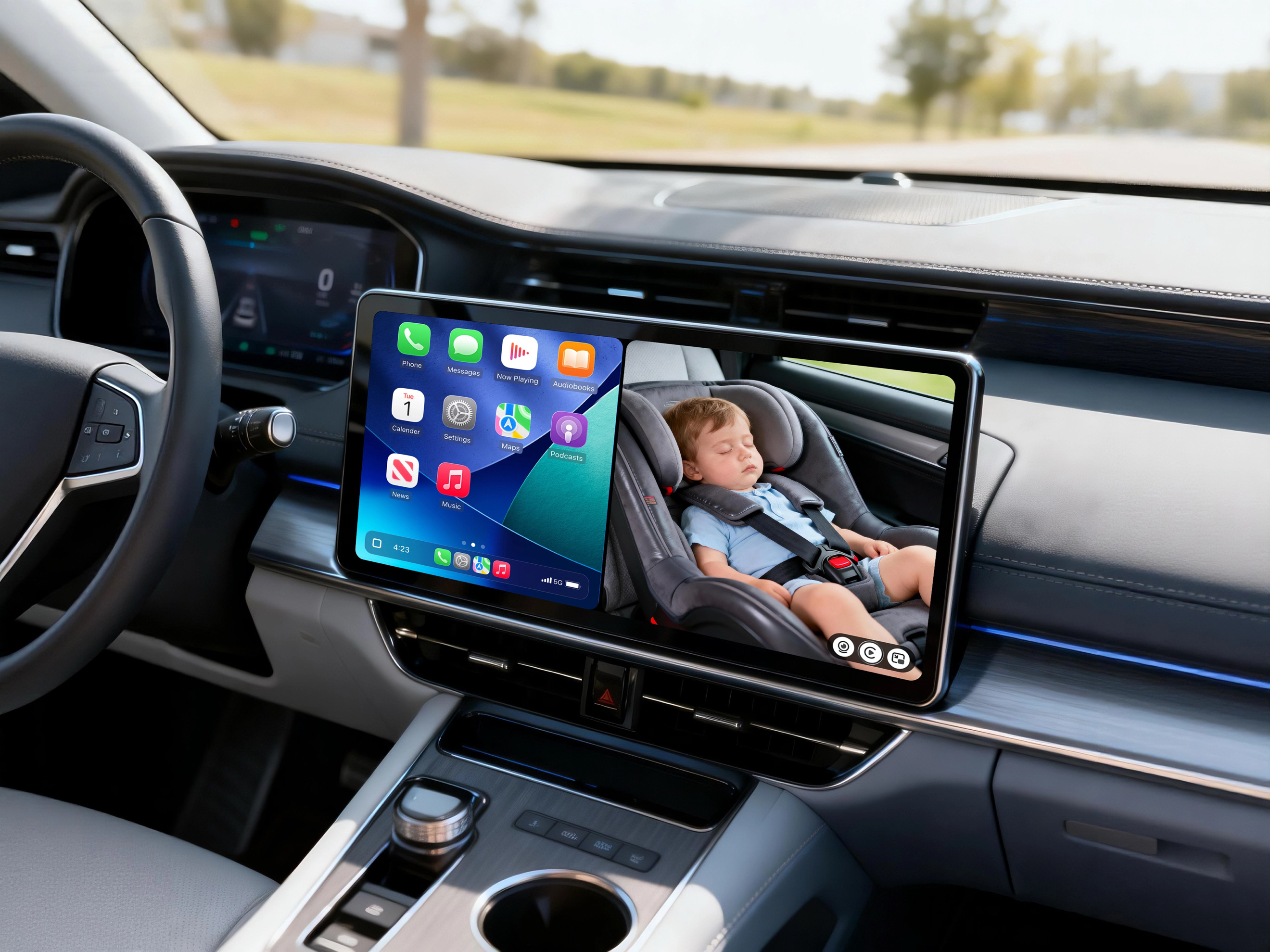
Start your usual wired Apple CarPlay & Android Auto session. Baby View appears right on your dashboard display, ready to open full screen, side-by-side with maps, or as a picture-in-picture tile while you navigate.
Drive with confidence
You’re set. Enjoy a live Full HD 1080p view of your little one, eyes on the road the whole time. In the night, the invisible infrared keeps watch without waking a sleeping bub.
See it in action
Watch the full setup and see exactly how Baby View looks on your CarPlay screen — from unboxing to your first drive.
Clever where it counts
Baby View is built around one idea: keep your eyes on the road while staying connected to the back seat. Every feature serves that goal.
Full view, Split screen & picture-in-picture
See your child in full view, keep the camera beside your maps, or shrink it to a corner tile while you navigate. You choose how much of the screen the back seat gets — no swapping between apps.
Wireless video feed transmission
The camera sends its video feed to the receiver wirelessly, so there’s no cable running the length of your cabin. Only the little receiver plugs in up front in the main DATA USB port.
* There is a single cable for the camera to power on only.
Infrared night vision
Invisible infrared lets you check on your child in the dark or after dusk — clear detail without a bright light that could stir a sleeping little one.
157° wide-angle lens
A generous field of view captures the whole back seat — capsule, car seat and everything in between — so nothing important sits just out of frame.
Full HD 1080p
Sharp, true-to-life detail on your dashboard display — not a grainy afterthought. See a smile, a dummy on the floor, or a settled nap at a glance.
Wired Apple CarPlay & Android Auto
Baby View lives inside the Apple CarPlay & Android Auto interface you already know. No separate monitor stuck to your windscreen, no second thing to look at.
Does Baby View work with your car?
Baby View connects through wired Apple CarPlay & Android Auto, so the short answer is: if your car supports wired Apple CarPlay or Android Auto, you’re good to go. Not sure whether yours does? Check your make, model and year in our quick compatibility tool.
Setup, sorted
The three we’re asked most about getting started. There’s a full list on our FAQs page.
Yes, you can!
In your product box, you will receive a USB Type-A to USB Type-C adapter connector.
You will be able to attach this to the Baby View USB receiver to convert it from USB Type-A to USB Type-C and plug it into your car.
Yes, you can!
Your phone will connect to a wireless CarPlay/Android Auto software which is provided by our Babyview USB receiver, so you will no longer need to use a wire to connect to your phone.
When the camera transmitter is powered on, it will automatically connect to the USB receiver (without the use of WiFi) and this will merge the live camera feed onto the wireless Apple CarPlay or Android Auto screen on your dashboard monitor.
Overall, the USB transmitter does three things in the one USB data port;
- It gives your car a wireless Apple CarPlay and Android Auto software, instead of wired.
- It connects the camera transmitter without WiFi.
- It connects to your phone wirelessly to Apple CarPlay and Android Auto via bluetooth so you can take phone calls, use maps, play music etc.
No. Baby View does not record or save any video. It does not use cloud storage or upload any data.
Peace of mind, one plug away
Join thousands of families worldwide driving with a clear view of the back seat.